




One click on the video
A small download button appears in the top-right corner of each supported public video.
Adding a video download button directly to the tweet. Download with just one click.
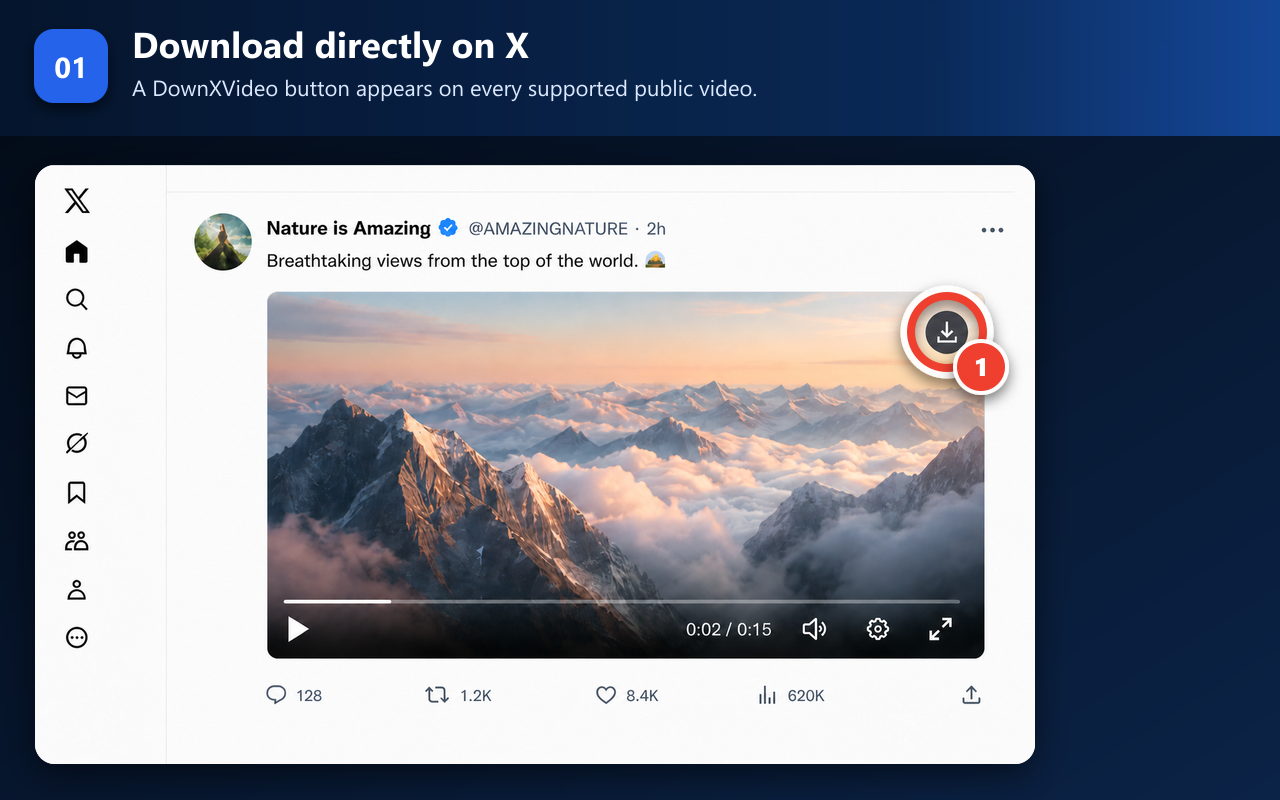
A small download button appears in the top-right corner of each supported public video.
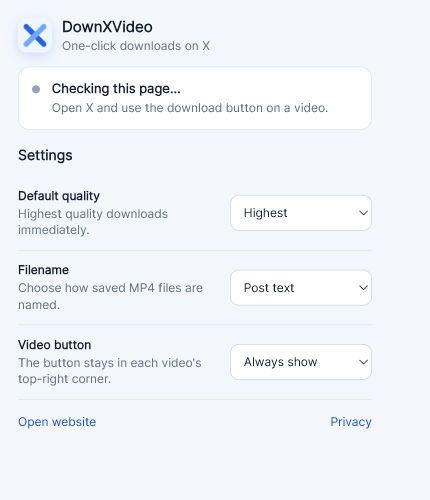
Choose quality, filename format, and button visibility. These preferences stay in local browser storage on this device.
Download progress, save location, and completion stay in the browser’s download manager.
DownXVideo keeps the interaction inside the page you are already viewing. The popup is for preferences and page status—not a second downloader interface.
The extension reads the public page structure locally and places a round download button on supported videos.
The extension parses the public post locally and starts the highest-quality MP4 by default. The post URL and current-page media information are not sent to DownXVideo.
The source video file downloads to your browser. DownXVideo does not upload or store the video file.
See how individual actions work for posts with multiple videos → · Compare the website and Chrome extension →
The extension does not request your X/Twitter password, cookies, private messages, or account access. On Chrome and Edge it can locally use MP4 information already loaded for a video you can play on the current page.
Read the extension privacy disclosure Use the downloader privacy and permission checklistBrowser support, download behavior, permissions, and troubleshooting for the DownXVideo extension.
Desktop Chrome 120+, Microsoft Edge 120+, desktop Firefox 140+, and Firefox for Android 142+ are supported. Check the store buttons above for availability. Safari, iPhone, iPad, and other Android browser users can continue using the DownXVideo website.
Open or refresh an X/Twitter page after installation. A round download button appears in the top-right corner of each supported video. Click it to start the download using your default quality setting.
The extension is designed for direct use on the X page you are viewing, so copying and pasting a post link is unnecessary. Use the DownXVideo website when you prefer to download from a copied link.
Refresh any X pages that were open before installation and make sure the video is visible and has finished loading. Direct messages, live streams, deleted posts, and unsupported players do not show a working download button.
The extension supports ordinary videos and GIFs that X provides as downloadable MP4 files. On Chrome and Edge, a video already loaded and playable on the current signed-in page can also be saved locally. It does not unlock content, access direct messages, support live streams, or bypass access controls.
Yes. You can use the highest available quality, cap downloads at 1080p or 720p, or choose a quality each time. You can also select a filename format. Available resolutions always depend on the source post.
Each detected video has its own download button and can be saved separately. The extension does not provide a page-wide “Download all” action for an infinitely scrolling timeline.
Your browser’s download manager handles the file, progress, and completion status. Files normally go to the browser’s Downloads location, which you can change in browser settings.
Access to X/Twitter pages places the button on supported videos and identifies the selected public post. Download permission starts the MP4 download, while storage remembers your quality, filename, and button visibility preferences.
No. It does not request your password, cookies, private messages, or account tokens and does not make authenticated X requests. Chrome and Edge may locally use minimal MP4 information already loaded by the current page. Post URLs and current-page media information are not sent to DownXVideo; the video downloads directly from X.